


In today’s digital world, users rely on search engines like Google, Yahoo, or Yandex. But there are a few search engines available that are used by cybersecurity professionals, security analysts, or other IT employees. Shodan is a search engine that reveals everything connected to the Internet, from small smartwatches to large smart TVs.
What is Shodan?
Shodan is a search engine that finds devices connected to the Internet, and some are available openly without login credentials. Shodan was created by John Matherly in 2009.
Although Shodan is an essential tool for cybersecurity experts, hackers may find it to be a hidden treasure. This search engine can be used as an OSINT tool.
Security researchers can detect weaknesses and misconfigurations, which attackers can exploit.
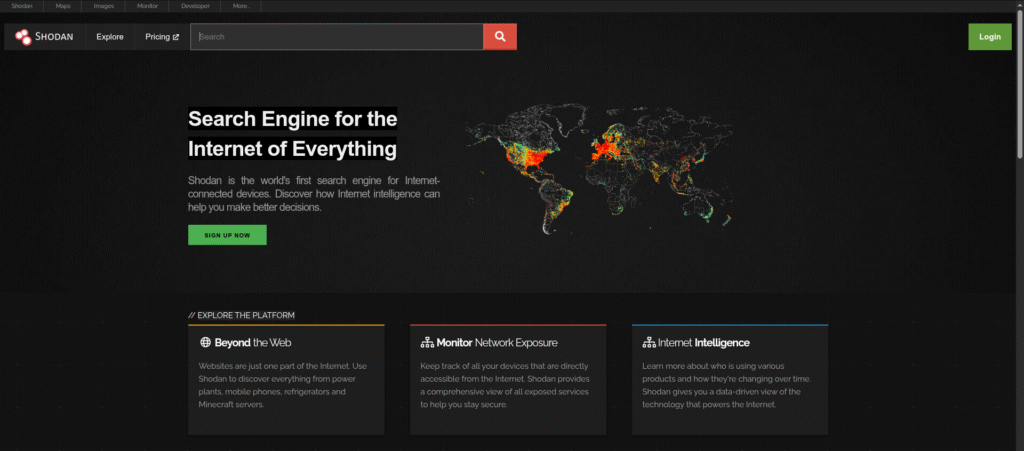
Devices Indexed by Shodan:
- Security cameras
- Traffic lights
- Power plants
- Smart TVs
- Printers
- VoIP phones
- Industrial Control Systems (ICS)
API Integration:
This website offers a comprehensive API that allows integration with:
- Python scripts
- SIEM tools like Splunk
- Security platforms like Metasploit
- Custom dashboards
How Does Shodan Work?
Shodan collects data by sending queries to different ports on IP addresses, a technique known as banner grabbing. This information, referred to as a “banner,” contains specifics such as the operating system, available ports, device type, service versions, and more.
Key Features
- Device Discovery: Find any internet-connected device.
- Geolocation: Identify the physical location of a device.
- Filter Support: Use filters like country, OS, port, and organization.
- Real-Time Data: Access continuously updated data.
- API Access: Integrate Shodan into automated tools and scripts.
Use Cases
- Cybersecurity Research
It is widely used by cybersecurity experts to perform risk assessments and vulnerability analysis on networks.
- Penetration Testing
Ethical hackers use to discover potential weak points in a system during penetration testing.
- Academic Research
Researchers use to study trends in IoT device deployments, malware spread, and internet exposure.
- Law Enforcement
Authorities use to track down illegal servers or trace cybercriminal activities.
- Attack Surface Mapping
Organizations use to audit their digital exposure and reduce the attack surface.
How to Use?
- Create an Account: Registration is required for advanced features.
- Search Using Filters: Combine filters like “country:US port:22” for SSH services in the US.
- Analyze Results: Review banners, IP addresses, and open ports.
- Export Data: Premium users can download results for offline analysis.
Filters
Below is the list of filters that a user can use to filter out and get better results.
| Name | Description |
|---|---|
| country: | Search by country |
| port: | Filter by port number |
| os: | By Operating System |
| city: | Search by city |
| org: | By Organisation name |
| net: | IP range |
Summing Up
Shodan has two sides to it. Although it facilitates cybersecurity awareness and research, its potential may be abused. Like any instrument, its worth is determined by how it is used ethically. Securing devices exposed to the Internet should be an organisation’s top priority to mitigate the risks associated with exposure on sites.