

Understanding Custom Domains in Cyberattacks
Hackers often register brand‑aligned or innocuous custom domains (like microsoft‑updates‑secure.com) to craft emails that appear legitimate. These domains come with new domain age, untainted reputation, and control over DNS records.
Hackers can make emails appear authenticated to filters by setting SPF and DKIM, even in cases where trust has not yet been established.
New registries often aren’t on block lists. That fresh status helps these domains slip through spam filters and threat intelligence checks that rely heavily on historical data.
Google Workspace Trial Accounts – A Hacker’s Playground
The 14-day Google Workspace trial provides attackers with a verified email-sending platform at no cost. They get a .*@customdomain.com address with valid SPF and DKIM. They can send via Google’s own infrastructure, which is rarely blocked by enterprise filters.
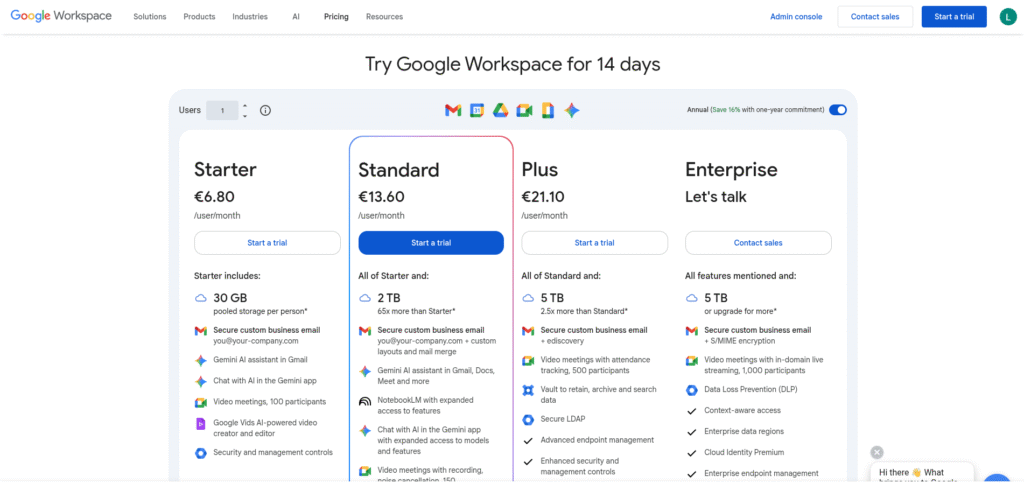
Although trial accounts are temporary and have volume restrictions, attackers continue to transmit low-frequency batches to avoid detection thresholds and maintain deliverability.
Attack Scenarios: Phishing Emails Using Custom Domains
An attacker registers a custom domain, sets up a Workspace trial, configures DNS records, and crafts a phishing email like:
“Your Microsoft 365 account will expire unless you confirm billing—click here.”
Using the Workspace account, email flow originates from Google IPs with perfect authentication headers.
The domain appears to be new, passes SPF/DKIM, and is delivered to the inbox without being flagged as spam, particularly when customised with the recipient’s name and company.
Technical Mechanisms of Bypassing Filters
- SPF, DKIM, and optional DMARC are set up to pass email validation.
- Attackers pace emails to avoid volume-based detection.
- Using Google’s IPs avoids sending reputation issues, since Google is whitelisted almost everywhere.
- Newly created domains aren’t flagged by threat intelligence feeds until reports surface.
Detection Challenges in Security Tools
Legacy email filters and MX blockers often miss these setups because:
- Reputation checks rely on domain age and volume data—fresh domains have no history.
- URL scanning sandboxes often allow Google-sourced emails without deeper inspection.
- Domain similarity checks may fail if the custom domain is obscure but plausible.
Preventive Measures for Organisations
- Monitor domain registrations similar to your brand (typosquatting detection).
- Enforce strict DMARC policies (reject or quarantine non‑compliant emails).
- Use tools that evaluate domain age and volume spikes.
- Train employees to scrutinise sender addresses, especially new domains.
- Implement URL rewriting and sandboxing even for emails from Google.
Email Security Tools That Can Help
- Machine-learning filters analyse metadata, including domain creation date, IP reputation trends, and sending behaviour patterns.
- Zero‑hour URL rewriting inspects links on click, catching malicious payloads even in Google‑originated messages.
- Services like Proofpoint, Mimecast, and Microsoft Defender support these capabilities.
How to Recognise and Report Phishing from Custom Domains?
Users should spot subtle anomalies in senders—for instance, the domain secure‑office‑msg.com shouldn’t be equated with office.com.
Always hover over links, check for unexpected trial‑period domains, and confirm independently via known contact channels.
If you identify abuse, report the domain to the Google Workspace abuse team and the domain registrar for takedown.
Conclusion
Hackers are increasingly using Google Workspace trial accounts in conjunction with custom domains to evade detection. They provide top-notch phishing by using Google’s reliable infrastructure and establishing new domains.
Organisations must implement stringent authentication procedures, monitor domain registrations, utilise advanced threat detection, and educate users to identify phishing anomalies, even from sources that appear to be reliable, to combat this strategy.