

In an era where cyber threats are increasingly refined, phishing remains one of the most prevalent and dangerous attack vectors.
Gophish is an open-source framework that enables launching phishing campaigns. This framework helps organisations assess their employee’s training effectiveness to determine if they will be successful.
The purpose of these programs is to strengthen human defences by testing and training staff members on how to identify and reply to questionable emails.
This framework has an MIT license, which allows users to use it for free.
From setup to advanced setups, this technical guide covers every aspect of GoPhish to make sure you not only comprehend its workings but also carry out phishing simulations responsibly and lawfully.
Features
- One-Click Installation
Gophish is easy to download. It can start right away after installing, even on a cloud server.
- Full REST API
Gophish is created in the Go programming language and uses the REST API.
- Beautiful Web UI
The developers have worked hard to create a beautiful interface so users can easily view and analyse their campaigns. We can easily import existing websites and emails and enable email open tracking.
- Cross Platform
The best part of this framework is the cross-platform feature. So, the user can work on Gophish in Linux, Windows or even MacOS.
- Real-Time Results
Gophish updates everything, resulting automatically. You can track email openings, link clicks, credentials supplied, and more using the user interface to view a timeline for each recipient.
Importance of Phishing Simulations
- Benefits of Ethical Phishing Campaigns
Phishing simulations help identify vulnerabilities in human behaviour. GoPhish allows IT teams to craft realistic emails mimicking real threats—without the risk. The result? Better-trained staff and fewer successful phishing attempts.
- Aspects of Law and Compliance
Even when running these campaigns, it should comply with privacy laws and corporate policies. Everything should be transparent with key stakeholders, and avoid collecting sensitive data. Follow regulations such as GDPR, HIPAA, and others.
System Requirements
- Operating System: Windows, macOS, or Linux (recommended)
- GoLang (optional for building from source)
- A static IP or domain for reliable delivery
- Unzip tool
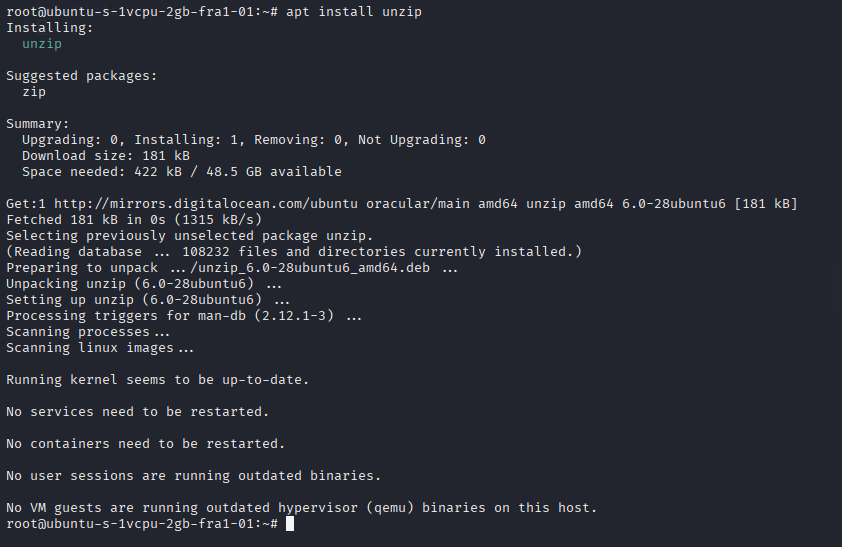
Here, we are using an Ubuntu droplet powered by Digital Ocean. We have a static IP address.
Installing Gophish
We will install the Gophish through wget.
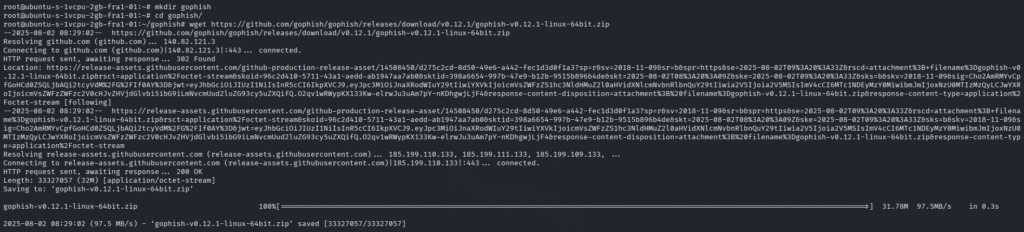
Before installing, we need to make a folder where the .zip file will be installed.
After installing the .zip file, we will extract it using the Unzip tool.

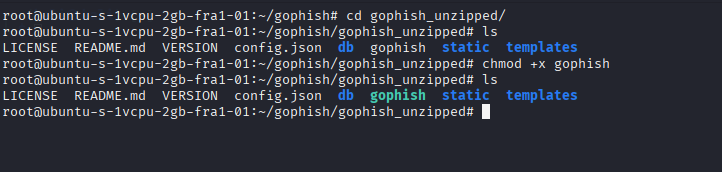
Now, we need to give executable permission to the Gophish file after extracting.
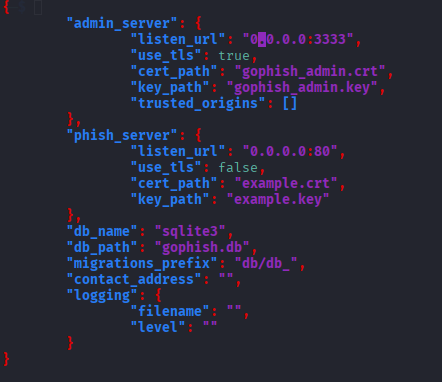
Configuring config.json
We need to configure the config.json file according to the Digital Ocean droplet and Linux.
Below, the image shows the configured file.
Installing certbot
Certbot is EFF’s program for automatically enabling HTTPS on your server and obtaining certificates from Let’s Encrypt. Any other CA that utilises the ACME protocol can use it as a client as well.
apt install certbot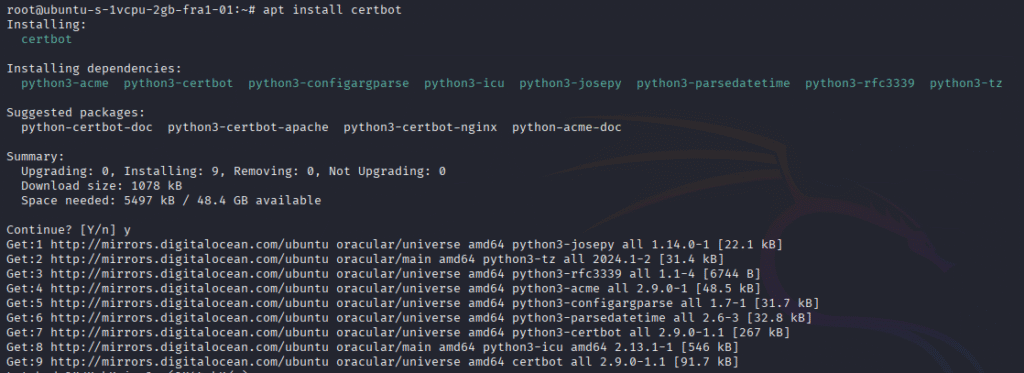
Encrypting the domain with certbot
certbot certonly -d cyberthreatinsider.cam --manual --preferred-challenges dns --register-unsafely-without-email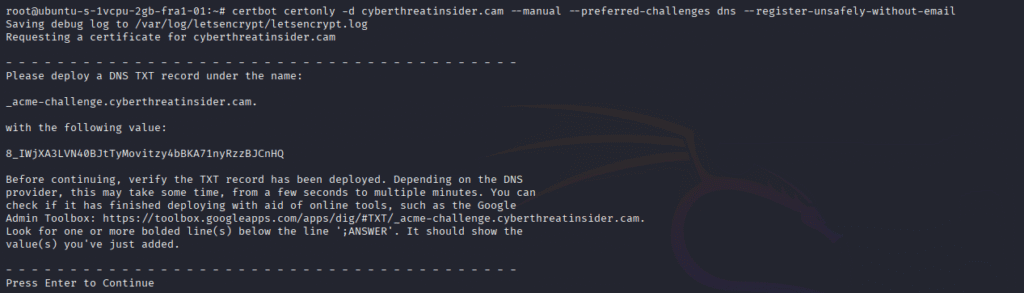
After running the command, you will be prompted to add a DNS TXT record in the Advanced DNS section of your domain dashboard (e.g., Namecheap).
Then, press Enter.

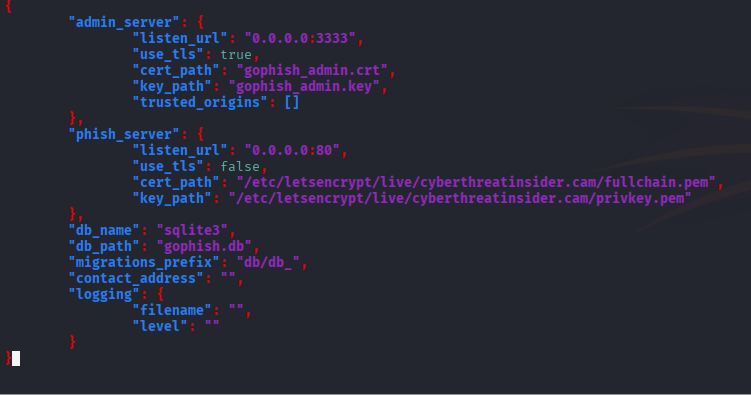
After this, you may get the location of the certificate and key, where it will be saved in the system, as shown in the image below. Copy that location in a text file.
Let’s change Certificate and Key path locations in the config.json.
Running Gophish
./gophish
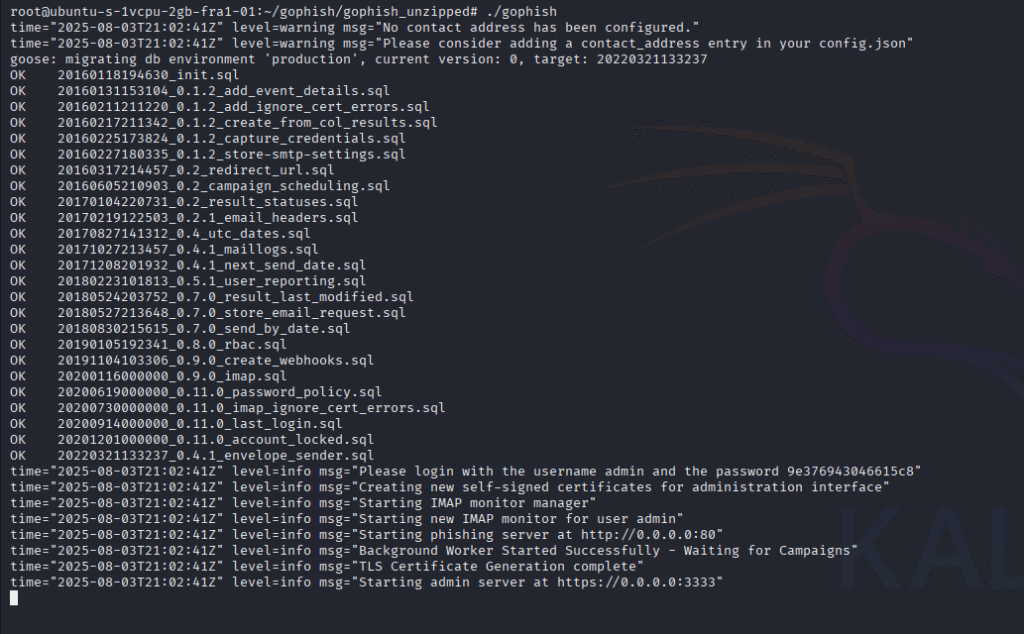
If you see the above in your terminal. Now, go to the browser and type:
https:<server_ip>:3333The first thing you will see after the login is the dashboard section.
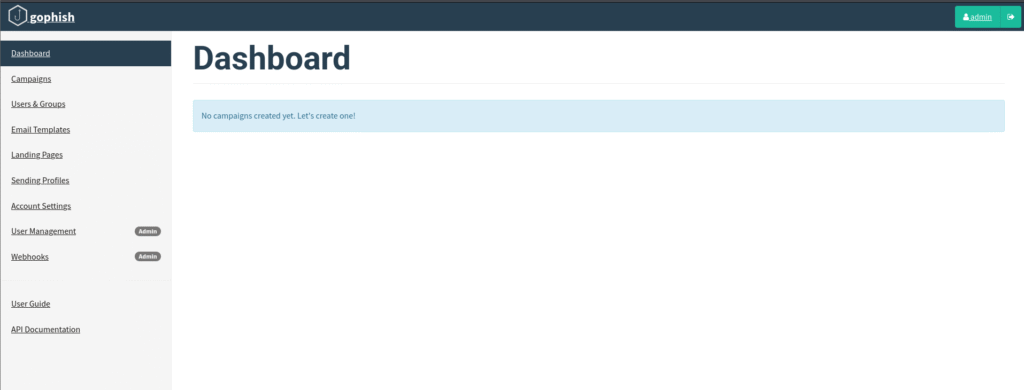
Menu Options Explanation
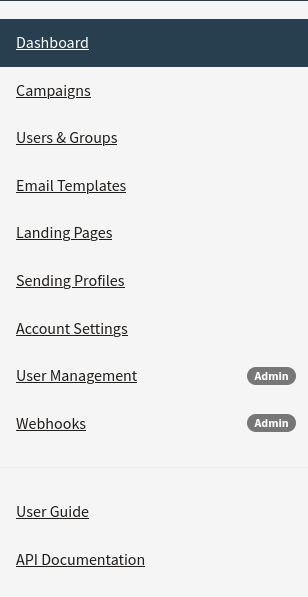
Breaking down what each one does and how it’s used in phishing simulations:
- Dashboard
The Dashboard is the first screen you see after logging in. It provides an overview of all your phishing campaigns, including:
- Active and completed campaigns
- Stats like emails sent, opened, clicked, and data submitted
- A timeline graph showing activity trends
- Quick access buttons to launch a new campaign
It’s your mission control, providing insights into the effectiveness of your training campaigns.
- Users & Groups
This section is where you manage your target audience. You can:
- Import users via CSV
- Create different groups (e.g., HR, IT, Finance)
- Assign users to specific phishing campaigns
Groups help simulate targeted spear-phishing attacks for realistic training.
- Email Templates
Here, you create the phishing emails used in your campaigns. Features include:
- Rich-text and HTML editing
- Placeholder variables (e.g., {{.FirstName}}, {{.Email}})
- Preview and test-send emails
Well-crafted templates make your campaigns more believable and compelling.
- Landing Pages
Landing pages are where targets are redirected after clicking a phishing email link. You can:
- Clone real login pages (like Gmail or Office 365)
- Add credential capture forms
- Include tracking scripts
These pages are critical for measuring whether users fall for the phishing attempt.
- Sending Profiles
Sending profiles define how GoPhish sends emails. You can:
- Configure SMTP settings (server, port, authentication)
- Use your own domain for higher deliverability
- Test email delivery from this interface
Proper setup here ensures your emails avoid spam filters.
- Account Settings
This is where you manage your personal user account, including:
- Changing your login password
- Adjusting user preferences
Each user can control their own settings here, though it doesn’t affect campaigns.
- User Management
Admins can add or remove GoPhish users. In this section, you can:
- Create new users with specific roles
- Set permissions and access levels
- Delete inactive or unauthorised accounts
Useful for team-based phishing operations in larger organisations.
- Webhooks
GoPhish can send campaign event data to external systems using webhooks. This is valuable for:
- Real-time integration with Slack, SIEM tools, or dashboards
- Alerting on email opens, link clicks, and credential captures
You define a webhook URL, and GoPhish pushes JSON data when specific events occur.
- User Guide
This links to the official GoPhish documentation, offering guidance on:
- Installation
- Campaign creation
- Troubleshooting
- Best practices
Ideal for both beginners and advanced users looking for in-depth tutorials.
- API Documentation
GoPhish comes with a powerful REST API, and this section explains:
- API endpoints
- Authentication methods
- How to programmatically manage campaigns, templates, and targets
Ideal for developers automating phishing simulations or integrating GoPhish with other tools.
Case Study: Successful Gophish Deployment in a Corporate Environment
Objectives
A fintech firm launched GoPhish across departments to evaluate the response to credential-harvesting attacks. Over 500 employees participated.
Outcome and Lessons Learned
- 37% clicked the phishing link
- 10% submitted credentials
- Post-training campaigns showed a 90% improvement
The takeaway? Phishing simulations combined with training drastically improve security posture.
Conclusion
GoPhish is a cybersecurity teaching platform in addition to a phishing tool. When utilised properly, it gives companies the ability to identify weak points, strengthen training, and create an awareness-raising culture.
With the help of this technical tutorial, you can now use Gophish to execute ethical phishing campaigns with assurance, planning, and a dedication to honesty.

2 Responses
Thanks for summarizing the Getting Started section of the offical docs!
Glad it helped! I’ll be adding more practical examples soon.